SplitCam 10.8.55

SplitCam Full Download Summary

SplitCamVideo ToolsWindows 11, Windows 10 32/64 bit

User Rating: 3.2 (19 votes)

top download editor's pick
  • File size: 346.00 MB
  • Platform: Windows 11, Windows 10 32/64 bit
  • License: Freeware
  • Price: FREE
  • Downloads: Total: 1534 | This Month: 1
  • Released: Jul 28, 2025
  • Publisher: SplitCam
  • Publisher URL: http://splitcamera.com/

SplitCam 10.8.55 Full Description

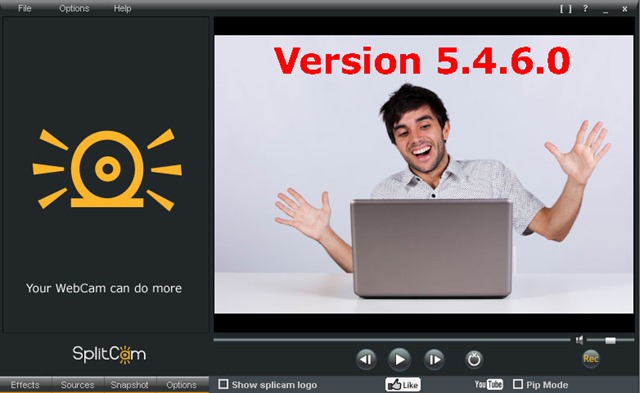
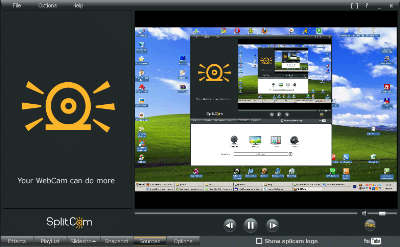
SplitCam is an innovative software solution developed by SplitCam, designed to enhance your webcam experience by providing a plethora of features that cater to both casual users and professionals. This versatile application stands out with its ability to split your webcam feed, allowing you to use your camera simultaneously across multiple applications such as Skype, Zoom, and YouTube Live, eliminating the need for multiple cameras or complex setups.

One of the most striking features of SplitCam is its extensive library of effects and filters. Users can easily apply fun and creative overlays, backgrounds, and face masks to their video streams, adding a layer of personalization and entertainment to video calls and live streams. This makes it an excellent tool for content creators looking to engage their audience with visually appealing streams.

SplitCam also supports a wide range of video resolutions, including HD and Full HD, ensuring that your video quality remains top-notch regardless of the platform you are using. The software is compatible with various streaming services and social media platforms, making it a versatile tool for live streaming, video conferencing, and online teaching.

Another notable feature is the software's ability to capture and stream video from multiple sources. Whether you want to include footage from your desktop, a connected camera, or even a video file, SplitCam makes it easy to integrate different media sources into a single stream. This is particularly useful for gamers, educators, and professionals who need to present multiple types of content simultaneously.

The user interface of SplitCam is intuitive and user-friendly, making it accessible for users of all skill levels. The drag-and-drop functionality and straightforward menu options ensure that you can quickly set up and customize your streams without any hassle. Additionally, SplitCam offers robust support and regular updates, ensuring that the software remains reliable and up-to-date with the latest features and improvements.

In summary, SplitCam is a powerful and versatile webcam software that caters to a wide range of users, from casual video callers to professional streamers. Its ability to split webcam feeds, apply creative effects, support high-quality video resolutions, and integrate multiple media sources makes it a standout choice in the market. Whether you're looking to enhance your video calls, create engaging live streams, or conduct professional presentations, SplitCam provides the tools you need to elevate your webcam experience.

Release notes:

New Release
NEW:
Added Sound Offset filter. Now you can adjust syncing of audio/video streams using the Sound Offset filter in audio layers.
New method of audio stretch in Replay media source. When changing the playback speed of Replay media source SplitCam keeps the same pitch.
Audio Compressor filter is available again as a reply to users request.
UPDATED:
Changed ingests update method to account for download errors on some Windows installations.
Check for support of hardware video encoding. SplitCam will test for the availability of hardware video encoding which might be unavailable due to unsupported GPU or outdated video drivers.
Added Replay source Speed parameter.
FIXED:
Fixed stopping streaming when all active streams are in error state.
Replay bug fixed: update mixer panel after deleting the Replay source.
3D rotation effect is working correctly.
Fixed bugs with 3d transform and Replay sources.
Minor string fix in the OnlyFans dialog.
[ SplitCam full changelog ]

SplitCam 10.8.55 Bookmark

Hyperlink code:
Hyperlink and Intro code:
Hyperlink for Forum code:

SplitCam 10.8.55 Free Download Notice

Top 4 Download periodically updates software information of SplitCam 10.8.55 full version from the publisher, but some information may be slightly out-of-date.

Using warez version, crack, warez passwords, patches, serial numbers, registration codes, key generator, pirate key, keymaker or keygen for SplitCam 10.8.55 license key is illegal and prevent future development of SplitCam 10.8.55. Download links are directly from our mirrors or publisher's website, SplitCam 10.8.55 torrent files or shared files from free file sharing and free upload services, including Rapidshare, HellShare, HotFile, FileServe, MegaUpload, YouSendIt, SendSpace, DepositFiles, Letitbit, MailBigFile, DropSend, MediaMax, LeapFile, zUpload, MyOtherDrive, DivShare or MediaFire, are not allowed!

Your computer will be at risk getting infected with spyware, adware, viruses, worms, trojan horses, dialers, etc while you are searching and browsing these illegal sites which distribute a so called keygen, key generator, pirate key, serial number, warez full version or crack for SplitCam 10.8.55 download. These infections might corrupt your computer installation or breach your privacy. A keygen or key generator might contain a trojan horse opening a backdoor on your computer. Hackers can use this backdoor to take control of your computer, copy data from your computer or to use your computer to distribute viruses and spam to other people.

SplitCam 10.8.55 - Post Your Review

SplitCam 10.4.39

... RESTREAM option which can optionally be enabled in SplitCam. It allows for streaming to multiple services using ... a live session or offline for later use. SplitCam automatically detects your computer configuration and adapts to the hardware you are using. Added a tip notifier: you can set it up to show ...

SplitVideo 1.3

SplitVideo is a freeware virtual video clone and split video capture driver for connecting several applications to a single video capture source. Usually, if you have a web camera or video camera connected to your computer, you cannot use it in more than one application at the same time, and there ...