Shotcut 26.2.26 Full Description
Shotcut, developed by Dan Dennedy, is a versatile and powerful open-source video editing software that caters to both novice and experienced video editors. This cross-platform application, available for Windows, macOS, and Linux, offers a rich array of features that make it a compelling choice for anyone looking to create professional-quality videos without the hefty price tag of commercial software.
One of Shotcut's standout attributes is its support for a wide range of video, audio, and image formats through the FFmpeg project. This ensures that users can work with virtually any media file without the need for additional conversions. The software's intuitive interface is designed with a modular approach, allowing users to customize their workspace to suit their editing style and preferences. This flexibility is particularly beneficial for those who may be transitioning from other editing platforms and need a familiar environment.
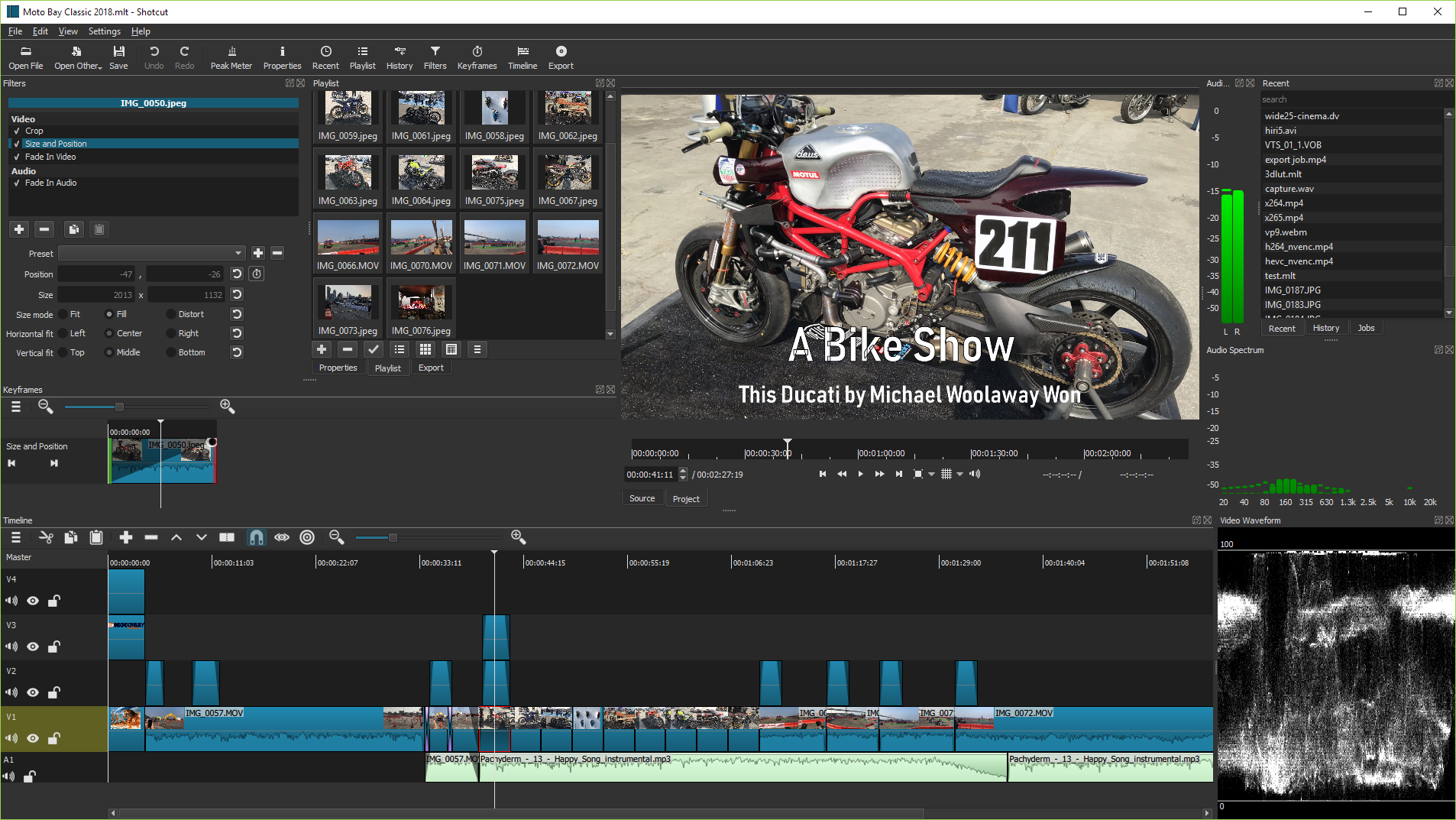
Shotcut boasts an impressive set of editing tools, including multi-track timeline editing, keyframe animations, and a plethora of video and audio filters. The timeline supports drag-and-drop functionality, making it easy to arrange clips and apply transitions. Users can also take advantage of the software's advanced color grading tools, which include color wheels, keyframes, and a variety of scopes to ensure precise adjustments.
For those who require more advanced features, Shotcut does not disappoint. It offers 4K resolution support, hardware acceleration for faster rendering, and a proxy editing mode to streamline the editing process for high-resolution projects. Additionally, the software includes a range of audio editing tools, such as waveform visualization, audio filters, and support for multiple audio tracks, ensuring that the final product sounds as good as it looks.
One of the key strengths of Shotcut is its active and supportive community. The software is continuously updated with new features and improvements, thanks to contributions from developers and feedback from users. This collaborative environment ensures that Shotcut remains at the cutting edge of video editing technology.
Despite its robust feature set, Shotcut remains accessible to beginners. The software includes a wealth of tutorials and documentation to help new users get started, and its straightforward interface minimizes the learning curve. This balance of power and usability makes Shotcut an ideal choice for hobbyists, educators, and professionals alike.
In summary, Shotcut by Dan Dennedy is a comprehensive and flexible video editing solution that offers a rich set of features, an intuitive interface, and strong community support. Whether you're creating a simple home video or a complex professional project, Shotcut provides the tools you need to bring your vision to life. Its open-source nature and cross-platform availability make it a standout option in the crowded field of video editing software.
Release notes:
New Release
Fixes:
Fixed crash when adding long video to Timeline with Qt 6.10.1 (broke in v26.1).
Fixed black or green bottom bar on Windows with HEVC video source and Settings > Preview Scaling > Use Hardware Decoder plus preview scaling (broke in v26.1).
Restored Generate to the main toolbar with View > Show Text Under Icons (changed in v26.1).
Fixed crash in the RGB Shift video filter (broke in v25.12).
Fixed FLAC export has a bad duration disabling scrub bars in players (broke in v25.12).
Fixed crash on various enabled Playlist actions with nothing selected:
GoTo
Move Up
Move Down
Add Selected to Timeline
Add Selected to Slideshow
Sort By Name
Sort By Date
Fixed Show In Files for a reverse job.
Fixed choosing Export > Codec > h264_videotool on macOS not reliably setting B frames to 0.
Fixed keyframes for Text: Typewriter > Position & Size not working.
Changes:
Added support for the underline and strikethrough options in the font dialog for the text filters.
Added a search field to Subtitles.
Added holding Alt while clicking Mute and Hide on the Timeline track to toggle all of the other tracks.
Added holding Shift with the mouse wheel to Zoom the player.
Added Playlist > Log Event (Shift+E) to append a 6 second clip (±3 secs) at the current Source player time.
Improved the performance of Timeline and Keyframes waveforms rendering.
Changed mouse wheel behavior for the Video Zoom video scope:
The wheel alone (no modifier key) now scrolls vertically.
Hold Ctrl to zoom.
Hold Alt to scroll horizontally.
Removed Settings > Player > Deinterlacer > Linear Blend (obsolete, removed in FFmpeg).
[
Shotcut full changelog ]
Shotcut 26.2.26 Free Download Notice
Top 4 Download periodically updates software information of Shotcut 26.2.26 full version from the publisher,
but some information may be slightly out-of-date.
Using warez version, crack, warez passwords, patches, serial numbers, registration codes, key generator, pirate key, keymaker or keygen for
Shotcut 26.2.26 license key is illegal and prevent future development of
Shotcut 26.2.26. Download links are directly from our mirrors or publisher's website,
Shotcut 26.2.26 torrent files or shared files from free file sharing and free upload services,
including Rapidshare, HellShare, HotFile, FileServe, MegaUpload, YouSendIt, SendSpace, DepositFiles, Letitbit, MailBigFile, DropSend, MediaMax, LeapFile, zUpload, MyOtherDrive, DivShare or
MediaFire,
are not allowed!
Your computer will be at risk getting infected with spyware, adware, viruses, worms, trojan horses, dialers, etc
while you are searching and browsing these illegal sites which distribute a so called keygen, key generator, pirate key, serial number, warez full version or crack for
Shotcut 26.2.26 download. These infections might corrupt your computer installation or breach your privacy.
A keygen or key generator might contain a trojan horse opening a backdoor on your computer.
Hackers can use this backdoor to take control of your computer, copy data from your computer or to use your computer to distribute viruses and spam to other people.


 Free Download
 Save to my software