Take Command 32.0

Take Command 32.0

Take Command Full Download Summary

Take CommandShell ToolsWin2000, Windows XP, Windows 7 x32, Windows 7 x64, Windows 8, Windows 10, WinServer, WinOther, Windows Vista, Windows Vista x64

User Rating: 3.0 (4 votes)

  • File size: 70.52 MB
  • Platform: Win2000, Windows XP, Windows 7 x32, Windows 7 x64, Windows 8, Windows 10, WinServer, WinOther, Windows Vista, Windows Vista x64
  • License: Free To Try
  • Price: $99.95
  • Downloads: Total: 246 | This Month: 0
  • Released: Mar 11, 2024
  • Publisher: JP Software
  • Publisher URL: https://jpsoft.com/

Take Command 32.0 Full Description

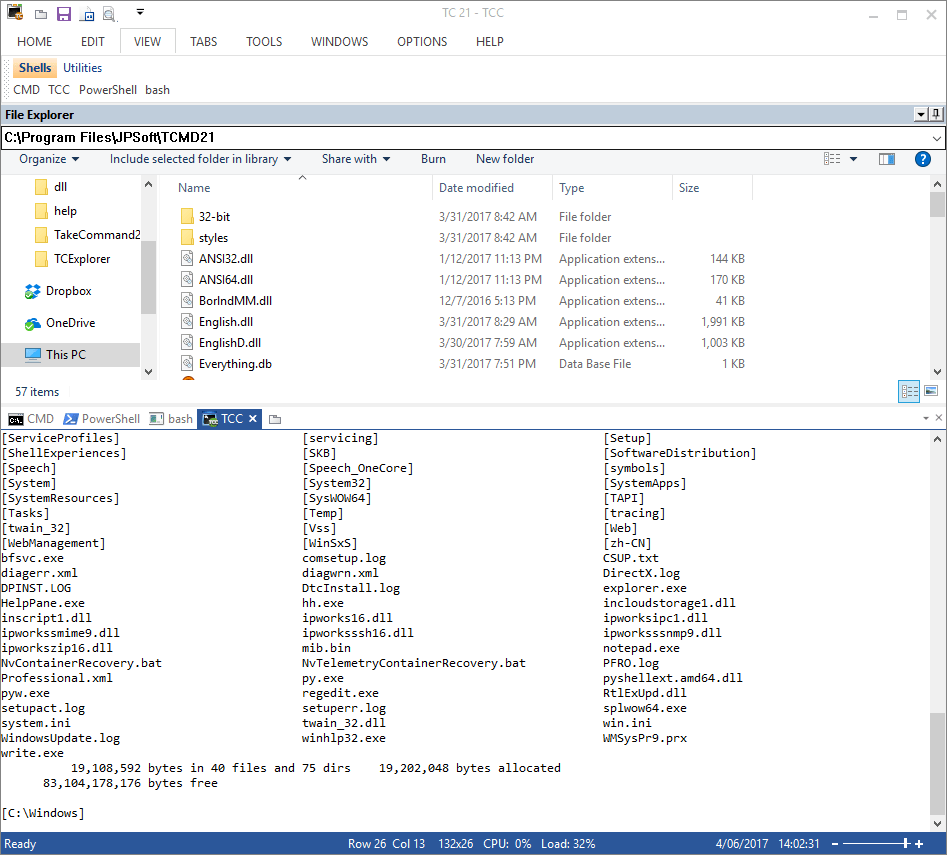
Take Command offers a new approach to working in Windows, bringing users the power of the command line and the ease of use of the Windows interface. Take Command supports existing CMD.EXE commands and batch files, and adds thousands of new features, giving you more power and flexibility than you ever imagined. And CMD and PowerShell users will love Take Command's tabbed console windows and Windows shell integration. Take Command adds features such as extensive context-sensitive online help, shell monitoring commands, plugins, aliases for commonly used commands, a powerful command line editor, history recall, filename completion (even across a network), popup command and directory history windows, and extended directory searches that can take you to any directory on your system by entering only part of its name. Take Command expands the Windows file handling commands, giving you the ability to copy, move, delete, or list multiple files with a single command, and adding FTP and HTTP support (including SSL and SSH) . You can select or exclude files from any command by their date, time, size, and extended wildcards for extraordinary flexibility. Batch file users will be amazed at the power and speed Take Command adds to Windows batch files, with an array of new batch commands and a powerful batch debugger with single stepping, breakpoints, syntax coloring, popup variable windows, and editing. The extended batch language in Take Command includes subroutines, DO statements, IF THEN ELSE statements, SWITCH statements, error handling, more than 250 internal commands and 750 internal variables. And if you don't like the default behavior, Take Command allows you to adjust its configuration either through interactive dialogs or on the command line.

Requirements:

90Mb free disk space

Release notes:

Major Update
Many performance and UI tweaks; new WATCH and XHISTORY commands, and improvements to the batch debugger / IDE. Help file now available in English, French, German, and Spanish.
[ Take Command full changelog ]

Take Command 32.0 Bookmark

Hyperlink code:
Hyperlink and Intro code:
Hyperlink for Forum code:

Take Command 32.0 Free Download Notice

Top 4 Download periodically updates software information of Take Command 32.0 full version from the publisher, but some information may be slightly out-of-date.

Using warez version, crack, warez passwords, patches, serial numbers, registration codes, key generator, pirate key, keymaker or keygen for Take Command 32.0 license key is illegal and prevent future development of Take Command 32.0. Download links are directly from our mirrors or publisher's website, Take Command 32.0 torrent files or shared files from free file sharing and free upload services, including Rapidshare, HellShare, HotFile, FileServe, MegaUpload, YouSendIt, SendSpace, DepositFiles, Letitbit, MailBigFile, DropSend, MediaMax, LeapFile, zUpload, MyOtherDrive, DivShare or MediaFire, are not allowed!

Your computer will be at risk getting infected with spyware, adware, viruses, worms, trojan horses, dialers, etc while you are searching and browsing these illegal sites which distribute a so called keygen, key generator, pirate key, serial number, warez full version or crack for Take Command 32.0 download. These infections might corrupt your computer installation or breach your privacy. A keygen or key generator might contain a trojan horse opening a backdoor on your computer. Hackers can use this backdoor to take control of your computer, copy data from your computer or to use your computer to distribute viruses and spam to other people.

Take Command 32.0 - Post Your Review

CMDebug 32.0

CMDebug is a stand-alone version of the Take Command IDE and batch debugger component. CMDebug is intended ... 'TCC Syntax' option, CMDebug provides the full TCC-RT command set. If you select the 'CMD Syntax' option, ... will maximize CMD compatibility and disable TCC-only internal commands, variables, and functions. Some internal CMD / TCC ...