Spire.Office for WPF 2.4.2 Full Description
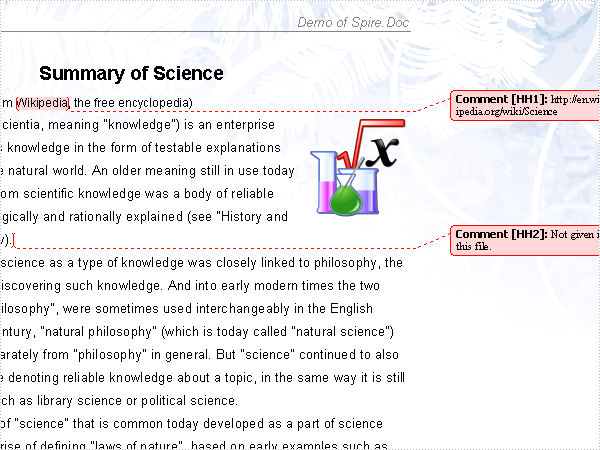
Spire.Office for WPF is a compilation of all e-iceblue WPF components which includes Spire.Doc for WPF, Spire.XLS for WPF, Spire.PDF for WPF. This package of WPF components can help you fully control Microsoft Word and Excel documents and all PDF documents with your WPF applications. You can use this powerful WPF component pack to create, read, write and modify MS Word/XLS, PDF documents at will. Spire.Office for WPF contains the most up-to-date versions of Spire.Doc for WPF, Spire.XLS for WPF and Spire.PDF for WPF. By using Spire.Office for WPF, developers can create a wide range of powerful WPF applications. Spire.Office for WPF is a standalone WPF component pack. It is totally independent and without any 3rd party library. Rich Functions: 1) Enable your WPF applications to read, modify and write Word documents without Microsoft Word to be installed on the Server. 2) Enable your WPF applications to read, modify and write Excel without Microsoft Excel to be installed on the Server. 3) Enable developers to load PDF document from stream, file and byte array. Support viewing PDF/A-1B, PDF/X1A and enables to open and read encrypted PDF files. 4) Enable your WPF applications to read, write and manipulate PDF documents without using Adobe Acrobat. New Features: 1) Support powerful sorting features: sort data in both horizontal and vertical directions which allows developers to sort data from top to bottom or left to right. 2) Improved charts data preservation and pivot table for Excel 2003/2007/2010. 3) Add Document.JPEGQuality to set quality of image during doc to pdf conversion. 4) Load Excel 2007/2010 file with password 5) Add FileFormat.WordML to support xml file of MS-Word schema 6) Improved charts data preservation and pivot table for Excel 2003/2007/2010. 7) Set up document property and document print type. 8) Insert multiple sections and page break as well as remove sections. 9) Copy document and concatenate multiple documents. 10) Encrypt and decrypt document 11) Globally search and globally replace words 12) Mail merge, nested mail merge, customize mail merge and fill field. 13) Save to file, save to stream and save as web response. 14) Supports embedding fonts, true type fonts and CJK fonts 15) Draw shapes such as rectangles, circles, arcs, ellipses and fill them with custom brushes 16) Drawing Form Fields like buttons, text boxes, list boxes, check boxes, and so on, into the PDF document 17) Drawing Header and Footer in a PDF document 18) Load PDF from file, stream and byte array 19) Support PDF/A-1B, PDF/X1A 20) Enable to open and read encrypted PDF files 21) Support multiple printing orientations: landscape, portrait, automatic 22) Export PDFs to Image format as .bmp, .png, .jpeg 23) Set PDF page (page down/up, zoom in/out, display as fit page) 24) Support most PDF font including TrueType, Type0, Type1, Type3, OpenType and CJK font 25) Support Filled text, Clipped Text, Stroked Text, and support lines, curve and table in PDF 26) Support hyperlink and DeviceN color space in PDF 27) Support JPEG2000, DCT, CCITT Fax Image format in PDF New Features: 1) Support parsing empty picture objects in word document as well as reserving the area obtained by the picture objects when converting document to image/PDF. 2) When one row has one cell which has multiple lines of text, AutoFitRow opreation caused an exception. 3) Support adding Meta Data to PDF and Hebrew/Latin languages text extraction. Fixed: 1)Fix the setting column.space exception when RTF file doesn't contain column data in section during RTF to docx conversion. 2)When use ExecuteWidthNestedRegion method, it throws NullPointerException. 3)When load RTF files which with list number or bullets, error occurs. Before applying this patch, make sure that Spire.Office 2.3 has been installed correctly. More details, homepage
Requirements:
.NET Framework
Spire.Office for WPF 2.4.2 Free Download Notice
Top 4 Download periodically updates software information of Spire.Office for WPF 2.4.2 full version from the publisher,
but some information may be slightly out-of-date.
Using warez version, crack, warez passwords, patches, serial numbers, registration codes, key generator, pirate key, keymaker or keygen for
Spire.Office for WPF 2.4.2 license key is illegal and prevent future development of
Spire.Office for WPF 2.4.2. Download links are directly from our mirrors or publisher's website,
Spire.Office for WPF 2.4.2 torrent files or shared files from free file sharing and free upload services,
including Rapidshare, HellShare, HotFile, FileServe, MegaUpload, YouSendIt, SendSpace, DepositFiles, Letitbit, MailBigFile, DropSend, MediaMax, LeapFile, zUpload, MyOtherDrive, DivShare or
MediaFire,
are not allowed!
Your computer will be at risk getting infected with spyware, adware, viruses, worms, trojan horses, dialers, etc
while you are searching and browsing these illegal sites which distribute a so called keygen, key generator, pirate key, serial number, warez full version or crack for
Spire.Office for WPF 2.4.2 download. These infections might corrupt your computer installation or breach your privacy.
A keygen or key generator might contain a trojan horse opening a backdoor on your computer.
Hackers can use this backdoor to take control of your computer, copy data from your computer or to use your computer to distribute viruses and spam to other people.



 Free Download
 Buy now
 Save to my software


