Light Image Resizer 7.5.0.142 Full Description
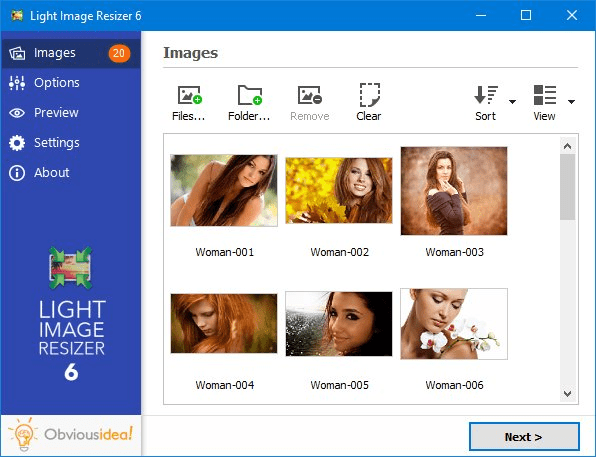
Light Image Resizer, developed by ObviousIdea, is a versatile and user-friendly software designed to streamline the process of resizing, converting, and optimizing images. Tailored for both novice users and seasoned professionals, this tool offers a robust set of features that cater to a wide array of image processing needs.
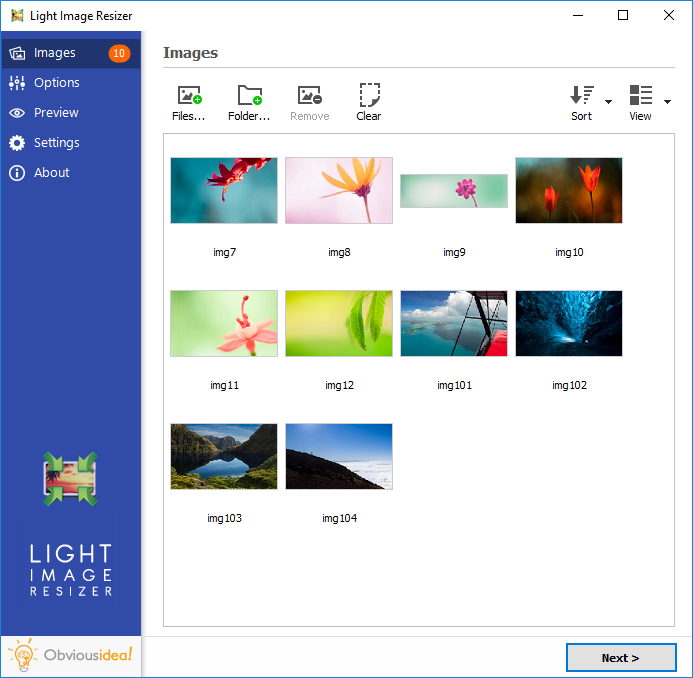
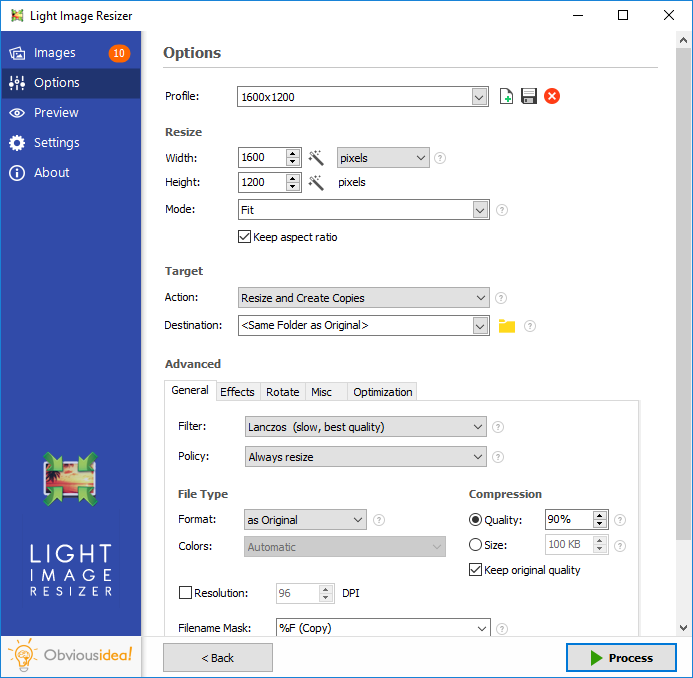
At its core, Light Image Resizer excels in its primary function: resizing images. Whether you're looking to downscale a batch of photos for web use or upscale images for printing, the software provides a seamless experience with its intuitive interface. Users can easily adjust dimensions, maintain aspect ratios, and choose from a variety of predefined profiles or customize their own settings to meet specific requirements.
Beyond resizing, the software supports a multitude of image formats, including JPEG, PNG, BMP, and TIFF, ensuring compatibility with virtually any image file you might encounter. The conversion process is straightforward, allowing users to switch between formats with minimal effort while preserving the quality of the original images.
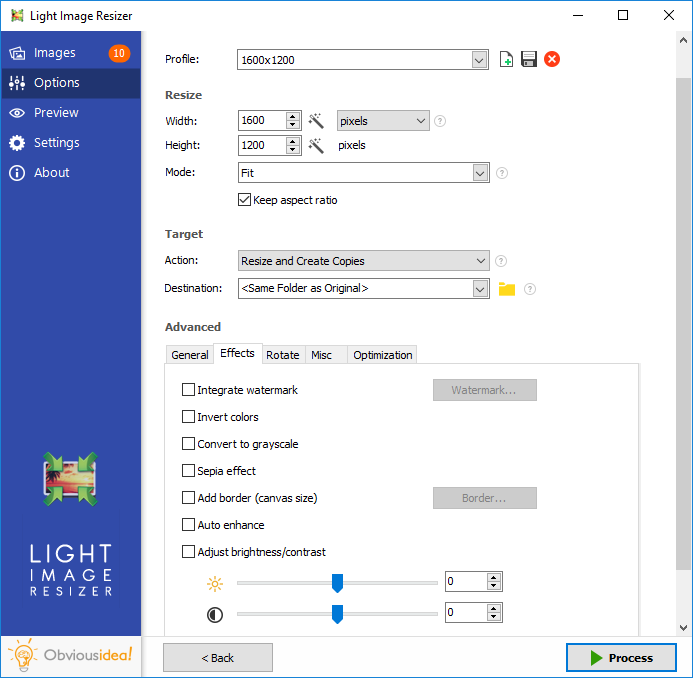
One of the standout features of Light Image Resizer is its batch processing capability. This function is a significant time-saver, enabling users to apply changes to multiple images simultaneously. Whether resizing, converting, or applying watermarks, the batch processing feature ensures consistency and efficiency, making it an invaluable tool for photographers, graphic designers, and digital marketers alike.
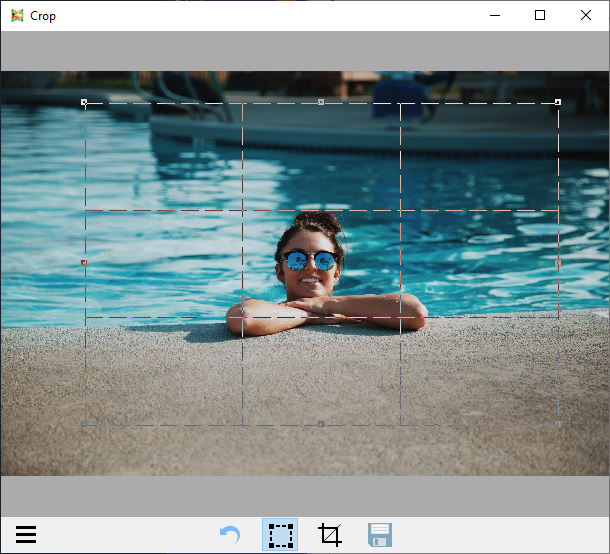
The software also includes advanced options for optimizing images. Users can adjust compression levels to balance quality and file size, which is particularly useful for web developers looking to improve page load times without sacrificing visual appeal. Additionally, Light Image Resizer offers basic editing tools such as cropping, rotating, and adding effects, providing a one-stop solution for quick image enhancements.
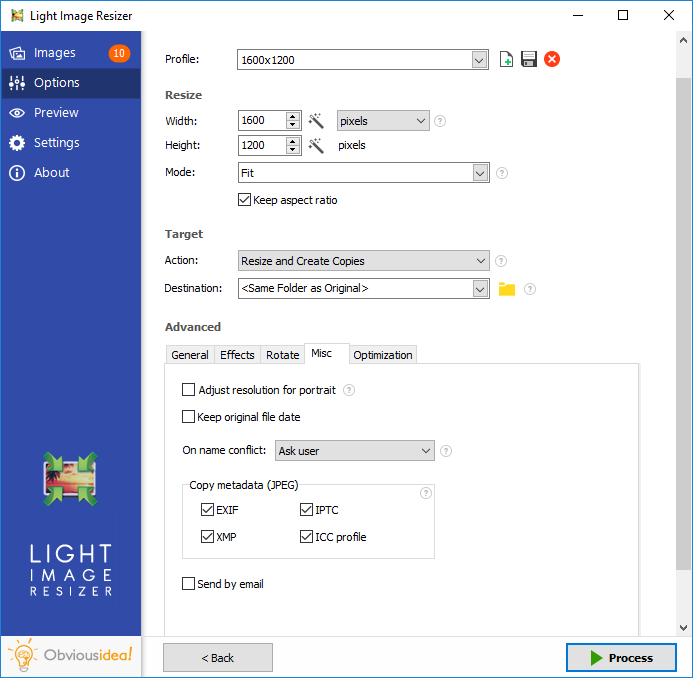
For those concerned with preserving their original files, Light Image Resizer offers a non-destructive editing mode. This feature ensures that the original images remain untouched, with all modifications saved as new files. This is particularly beneficial for professionals who need to maintain a pristine archive of their work.
Another noteworthy aspect is the software’s ability to create PDF files from images. This feature is ideal for compiling photo albums, creating presentations, or generating documents that require high-quality visuals. The process is simple and efficient, further enhancing the software's versatility.
Light Image Resizer also supports integration with Windows Explorer, allowing users to access its features directly from the context menu. This seamless integration enhances workflow efficiency, making it easier to manage images without needing to open the main application repeatedly.
In summary, Light Image Resizer by ObviousIdea is a comprehensive and efficient tool for anyone needing to resize, convert, and optimize images. Its user-friendly interface, robust feature set, and advanced options make it a standout choice in the realm of image processing software. Whether you're a hobbyist looking to manage your photo collection or a professional needing a reliable tool for daily tasks, Light Image Resizer offers the functionality and ease of use to meet your needs.
Release notes:
New Release
NEW:
added OpenAI GPT-5.1, GPT-5.2 models
added Gemini 2.5 Pro, Gemini 3 Pro Preview, Gemini 3 Flash Preview models
FIXED:
DPI value was not set correctly when saving screenshot as JPEG (Light Image Editor)
small offset when taking screenshot of a window (Light Image Editor)
settings may not have been synchronized correctly in some cases (Light Image Editor)
layers were not merged when submitting to Vision AI (Light Image Editor)
access violation when using right-click menu to copy an AI input image to the clipboard (Light Image Editor)
output image may have been sheared when format was set to JPEG XL
message “Error fetching Ollama models” could appear on startup (Light Image Editor)
IMPROVED:
resampling quality has been improved for certain cases when downsizing very large images
add light tray icon for dark system theme (Light Image Editor)
[
Light Image Resizer full changelog ]
Light Image Resizer 7.5.0.142 Free Download Notice
Top 4 Download periodically updates software information of Light Image Resizer 7.5.0.142 full version from the publisher,
but some information may be slightly out-of-date.
Using warez version, crack, warez passwords, patches, serial numbers, registration codes, key generator, pirate key, keymaker or keygen for
Light Image Resizer 7.5.0.142 license key is illegal and prevent future development of
Light Image Resizer 7.5.0.142. Download links are directly from our mirrors or publisher's website,
Light Image Resizer 7.5.0.142 torrent files or shared files from free file sharing and free upload services,
including Rapidshare, HellShare, HotFile, FileServe, MegaUpload, YouSendIt, SendSpace, DepositFiles, Letitbit, MailBigFile, DropSend, MediaMax, LeapFile, zUpload, MyOtherDrive, DivShare or
MediaFire,
are not allowed!
Your computer will be at risk getting infected with spyware, adware, viruses, worms, trojan horses, dialers, etc
while you are searching and browsing these illegal sites which distribute a so called keygen, key generator, pirate key, serial number, warez full version or crack for
Light Image Resizer 7.5.0.142 download. These infections might corrupt your computer installation or breach your privacy.
A keygen or key generator might contain a trojan horse opening a backdoor on your computer.
Hackers can use this backdoor to take control of your computer, copy data from your computer or to use your computer to distribute viruses and spam to other people.




 Free Download
 Buy now
 Save to my software


